Lineage Data Governance
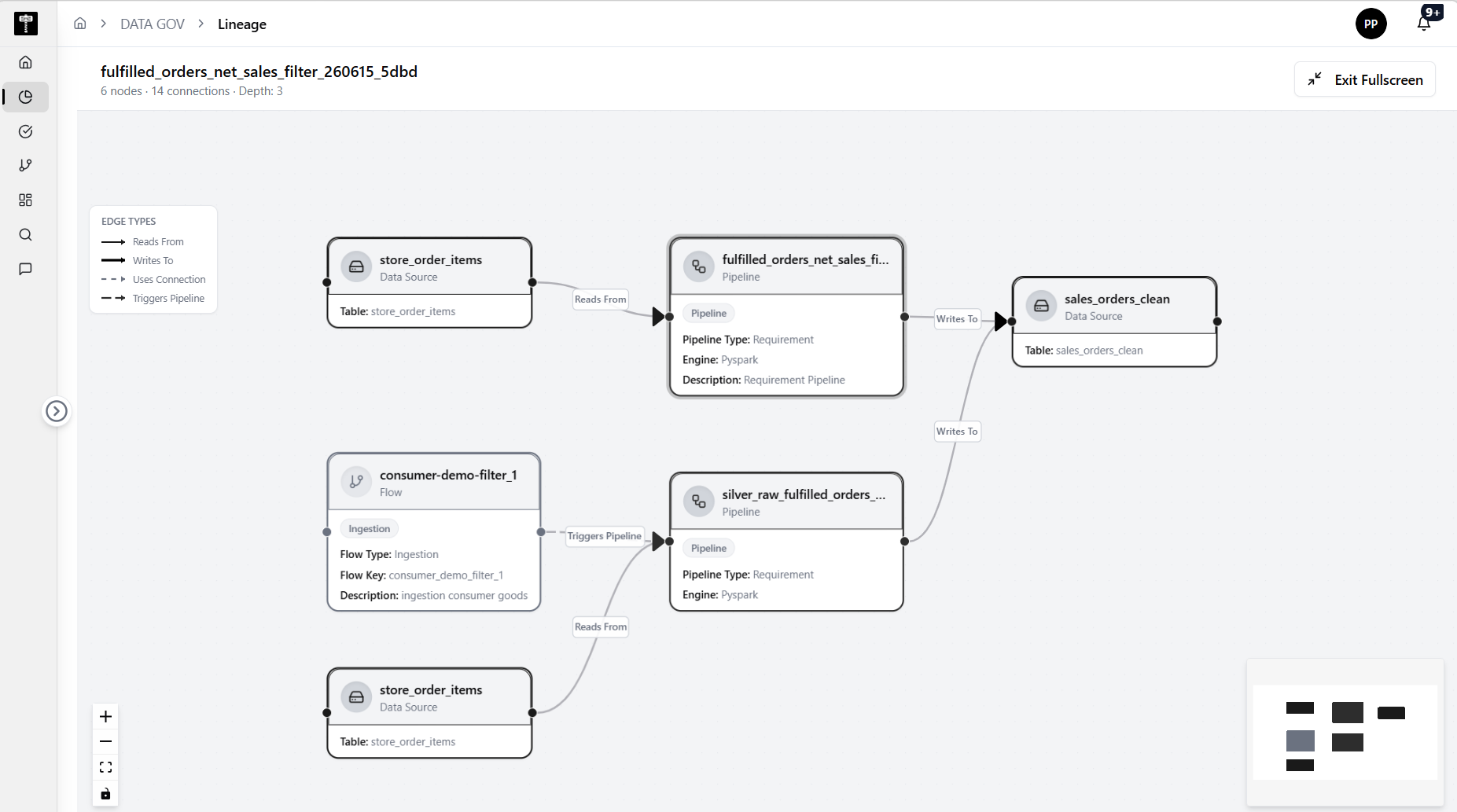
Use the Lineage page to explore relationships between connections, data sources, and pipelines.
Search for an entity
Start with the search control labeled Search connections, data sources, or pipelines.... Until an entity is selected, the graph area shows No Entity Selected.
Configure lineage direction
Use the Direction selector to choose how lineage should be explored. The captured page defaults to Both, allowing upstream and downstream exploration.
Set depth and history options
Use the Depth slider to control how many hops appear in the lineage graph. The captured page is set to 3 hops. Turn on Show Historical when historical lineage relationships should be included.
Typical path
| Step | Action | Location |
|---|---|---|
| 1 | Open DATA GOV | Main sidebar |
| 2 | Select Lineage | Data Gov navigation |
| 3 | Search for a connection, data source, or pipeline | Search box |
| 4 | Set direction and depth | Left control panel |
| 5 | Review the resulting graph | Lineage workspace |
What happens next
Lineage results help users understand impact, dependency, and provenance before changing upstream data sources or pipelines.