Summary Data Governance
Use the Summary page to review high-level metadata, ownership, and classification for a selected catalog asset. This view gives a quick overview before drilling into detailed properties.
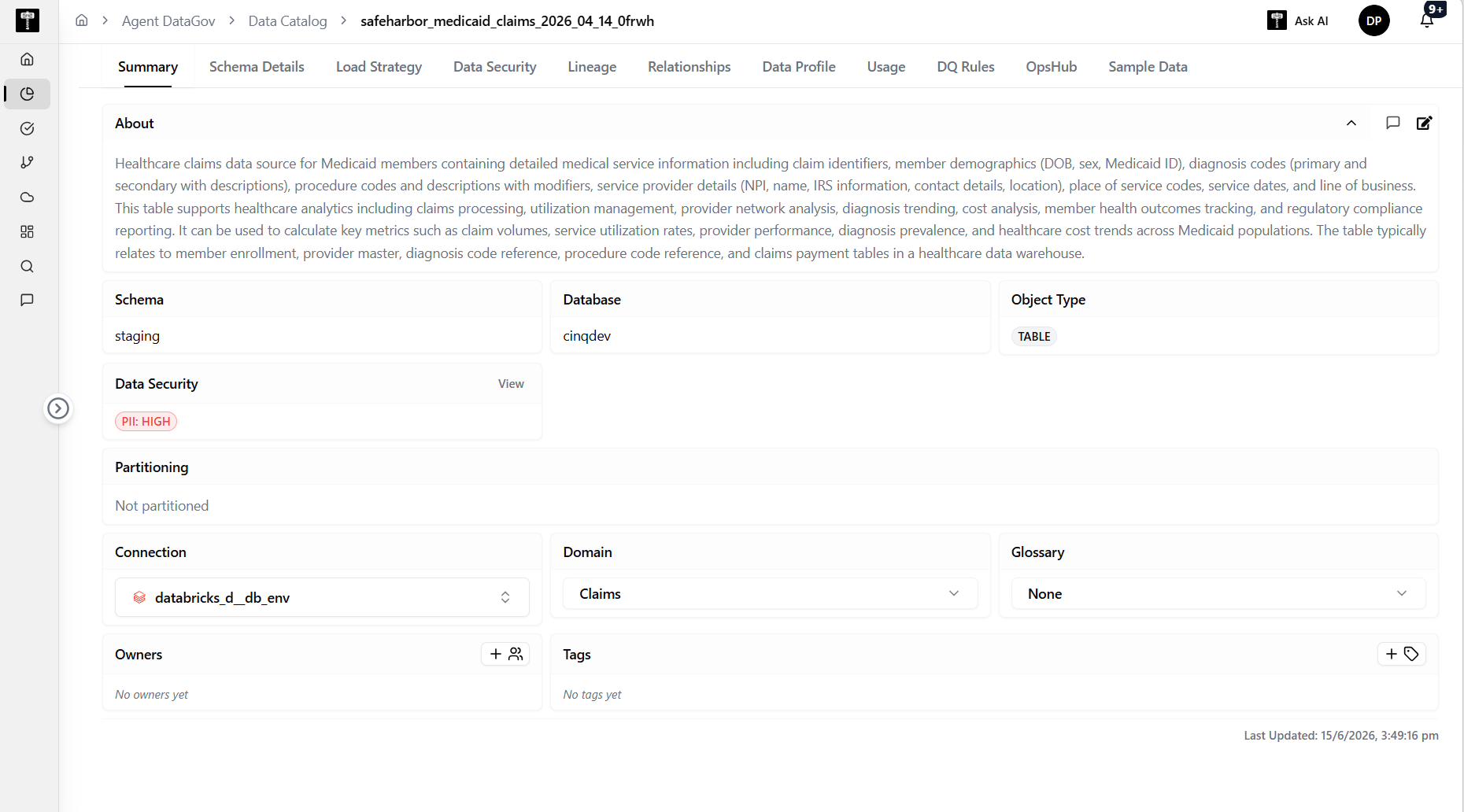
Review asset metadata
The summary displays the asset name, description, type, domain assignment, and ownership details. Use this to confirm the asset is correctly catalogued.
Check classification and status
Review PII classification, sensitivity level, and overall governance status. Confirm that classifications reflect the current state of the data.
Typical path
| Step | Action | Location |
|---|---|---|
| 1 | Open Data Gov | Main sidebar |
| 2 | Select Data Catalog | Data Gov navigation |
| 3 | Open an asset | Catalog list |
| 4 | Review summary metadata | Summary tab |
Related pages
- Schema Details — inspect column-level schema
- Data Profile — review statistical profiling