Schema Details Data Governance
Use the Schema Details page to inspect column-level schema, data types, and structural metadata for a catalog asset. This view helps understand the shape and constraints of the data.
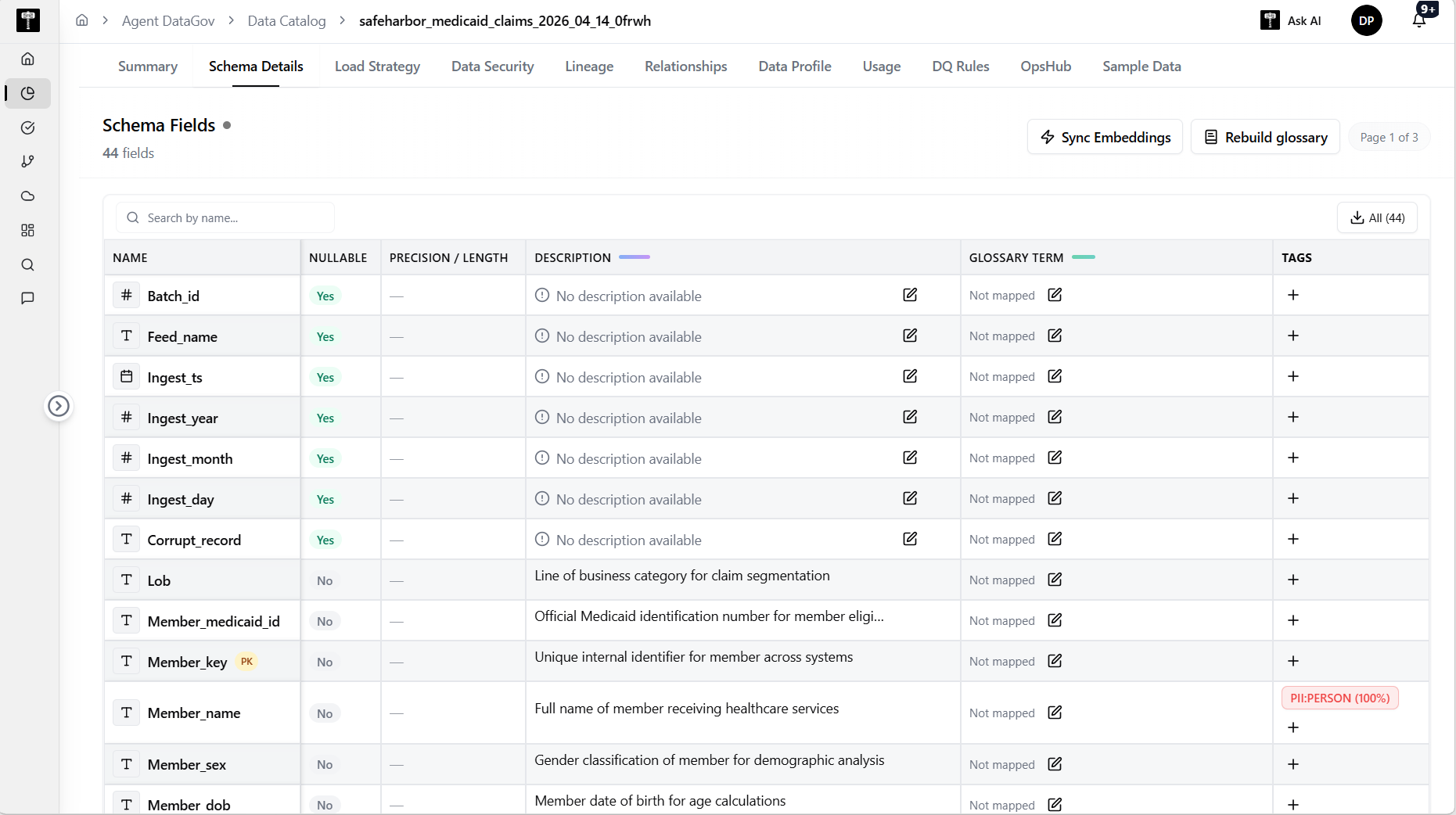
Review column definitions
Browse the list of columns with their names, data types, nullability, and default values. Confirm that the schema matches expectations for the data source.
Inspect constraints and keys
Review primary keys, foreign keys, and other constraints defined on the asset. Validate that relationships are correctly represented.
Typical path
| Step | Action | Location |
|---|---|---|
| 1 | Open Data Gov | Main sidebar |
| 2 | Select Data Catalog | Data Gov navigation |
| 3 | Open an asset | Catalog list |
| 4 | Switch to Schema Details | Asset tabs |
Related pages
- Summary — review high-level asset metadata
- Relationships — inspect entity relationships