Data Catalog Data Governance
Use the Data Catalog page to browse governed data sources and quickly understand each asset's project, connection, zone, PII level, and last update date.
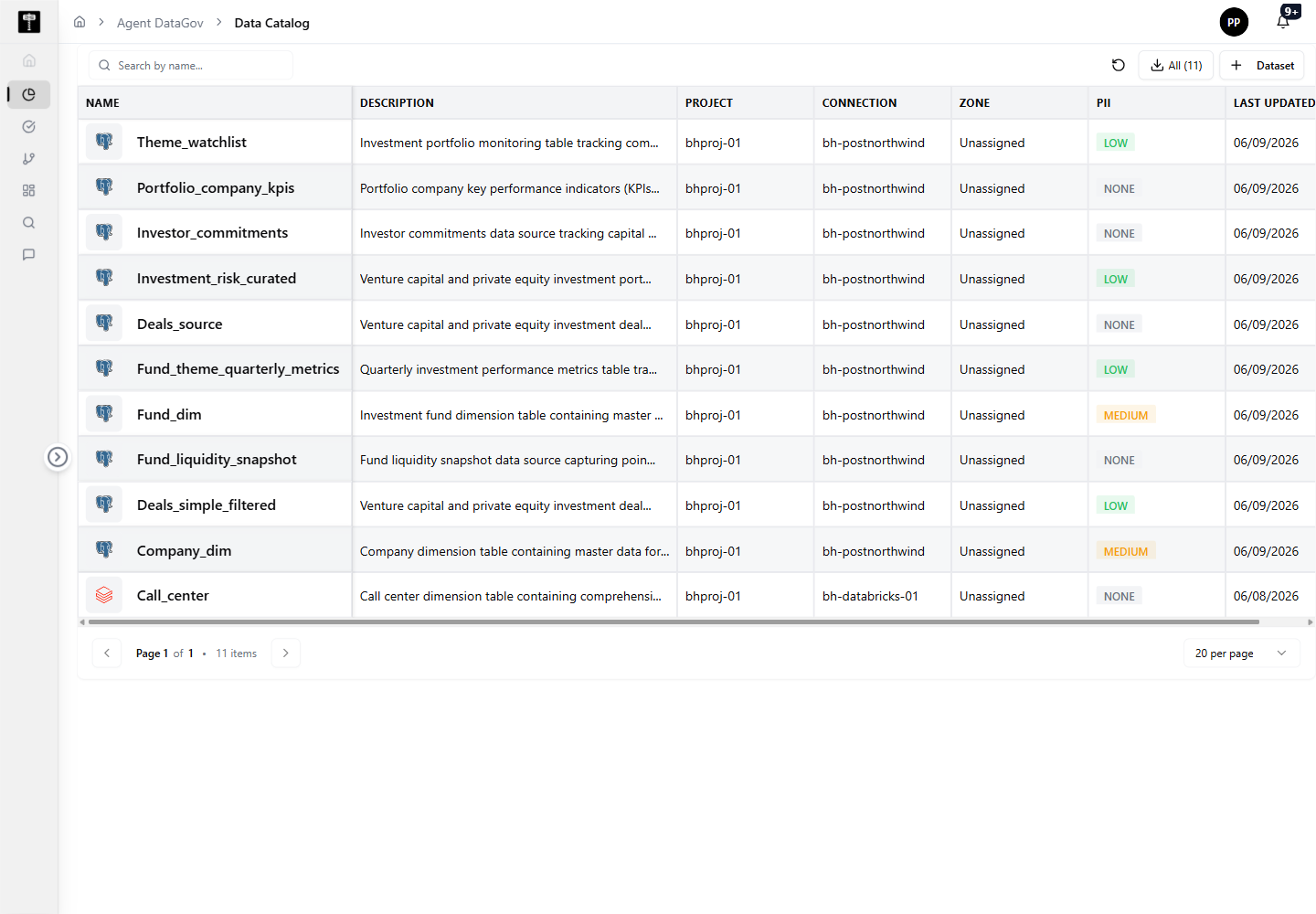
Browse catalog assets
The catalog is presented as a table of data sources. The live UI shows columns for:
- Name
- Description
- Project
- Connection
- Zone
- PII
- Last Updated
Rows include assets such as Theme_watchlist, Portfolio_company_kpis, Investor_commitments, Investment_risk_curated, Fund_dim, and Call_center.
Search and filter records
Use Search by name... to find a specific catalog asset. Use the asset-type selector, such as Dataset, when you need to scope the catalog view.
Download or add catalog data
Use Download CSV to export catalog records. Use Dataset to start adding or managing dataset records from the catalog page.
Typical path
| Step | Action | Location |
|---|---|---|
| 1 | Open DATA GOV | Main sidebar |
| 2 | Select Data Catalog | Data Gov navigation |
| 3 | Search or browse assets | Catalog table |
| 4 | Review project, connection, zone, and PII values | Table columns |
| 5 | Download CSV or open an asset for details | Page actions / row selection |
What happens next
Catalog records become the starting point for audit review, lineage exploration, governance classification, and ownership workflows.