Add User Admin only
Use the Add User page to create a new user and assign their permissions. Administrators enter user information, select roles, configure role permissions, and assign project and environment access before saving.
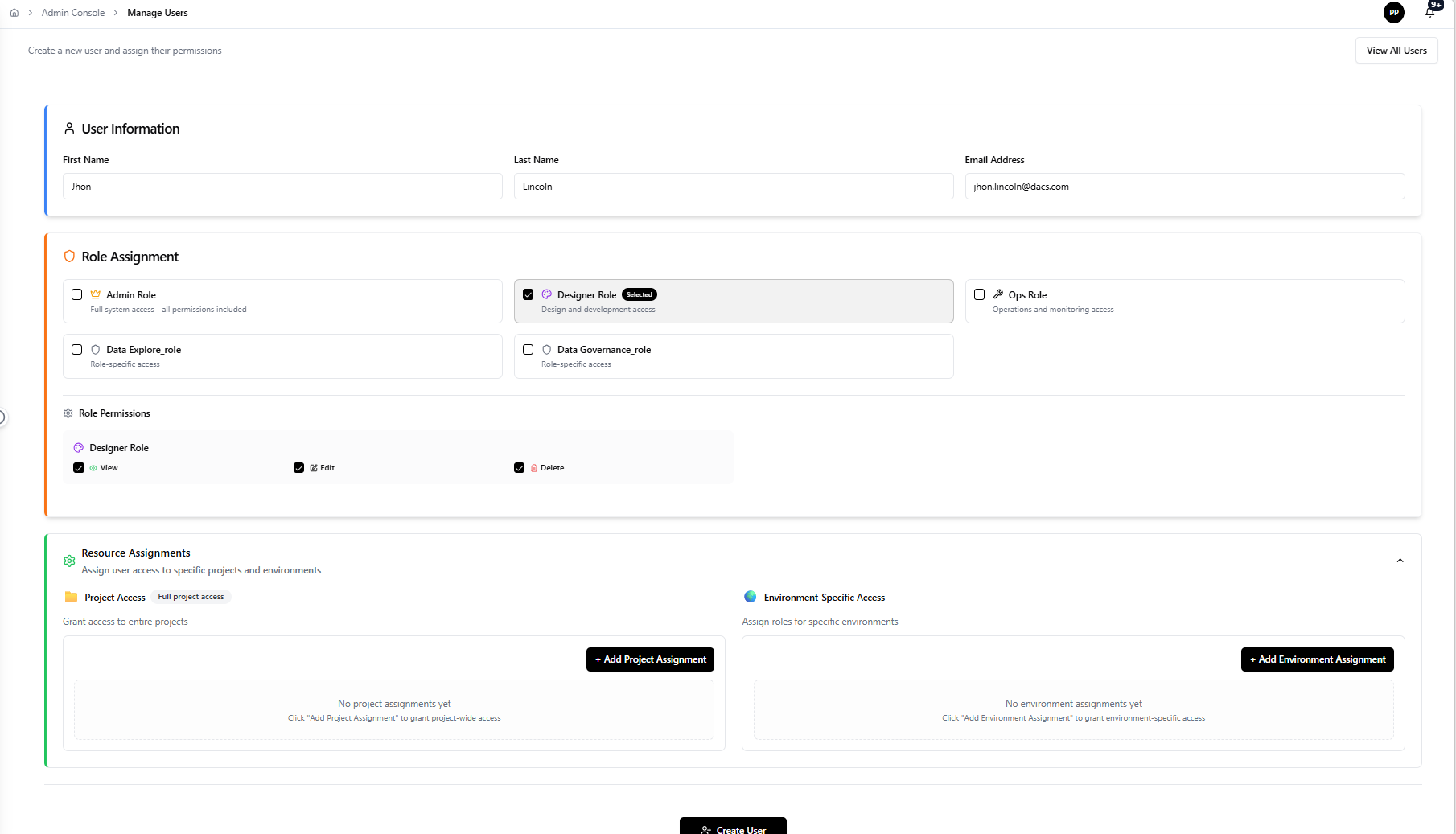
User Information
Complete the user form with the required information:
- First Name — the user's first name.
- Last Name — the user's last name.
- Email Address — the user's email address. Verify this is correct before saving, as it controls login and notification delivery.
Role Assignment
Select the appropriate roles for the new user. Role assignments determine what the user can see and do across the platform.
Available roles include:
- Admin Role — full system access, all permissions included.
- Designer Role — design and development access.
- Ops Role — operations and monitoring access.
- Data Explore_role — role-specific access.
- Data Governance_role — role-specific access.
Confirm role choices before continuing. The selected role determines the permissions shown in the Role Permissions section.
Role Permissions
Review the permissions associated with the selected role. For example, the Designer Role includes:
- View
- Edit
- Delete
Confirm that the permission set matches the user's responsibilities before saving.
Resource Assignments
Assign user access to specific projects and environments.
Project Access
Grant access to entire projects. Use Add Project Assignment to select the projects the user can access. If no project assignments are added, the user has no project-wide access.
Environment-Specific Access
Assign roles for specific environments. Use Add Environment Assignment to select the environments the user can access. If no environment assignments are added, the user has no environment-specific access.
Save and verify
After completing all sections, save the new user record. Verify the account appears in the user list and that the assigned roles and resource assignments are reflected correctly.
What happens next
The new user record becomes part of the platform access model. The user can log in with the configured credentials and access areas permitted by their assigned roles and resource assignments.
Related pages
- List Users — review all platform user accounts
- Edit User — update an existing user record
- Role Permission — configure roles assigned during onboarding