Users Admin only
Use the Users page to manage who can access BigHammer and how their platform access is governed. Administrators onboard users, review existing records, and ensure role assignments reflect current team structure.
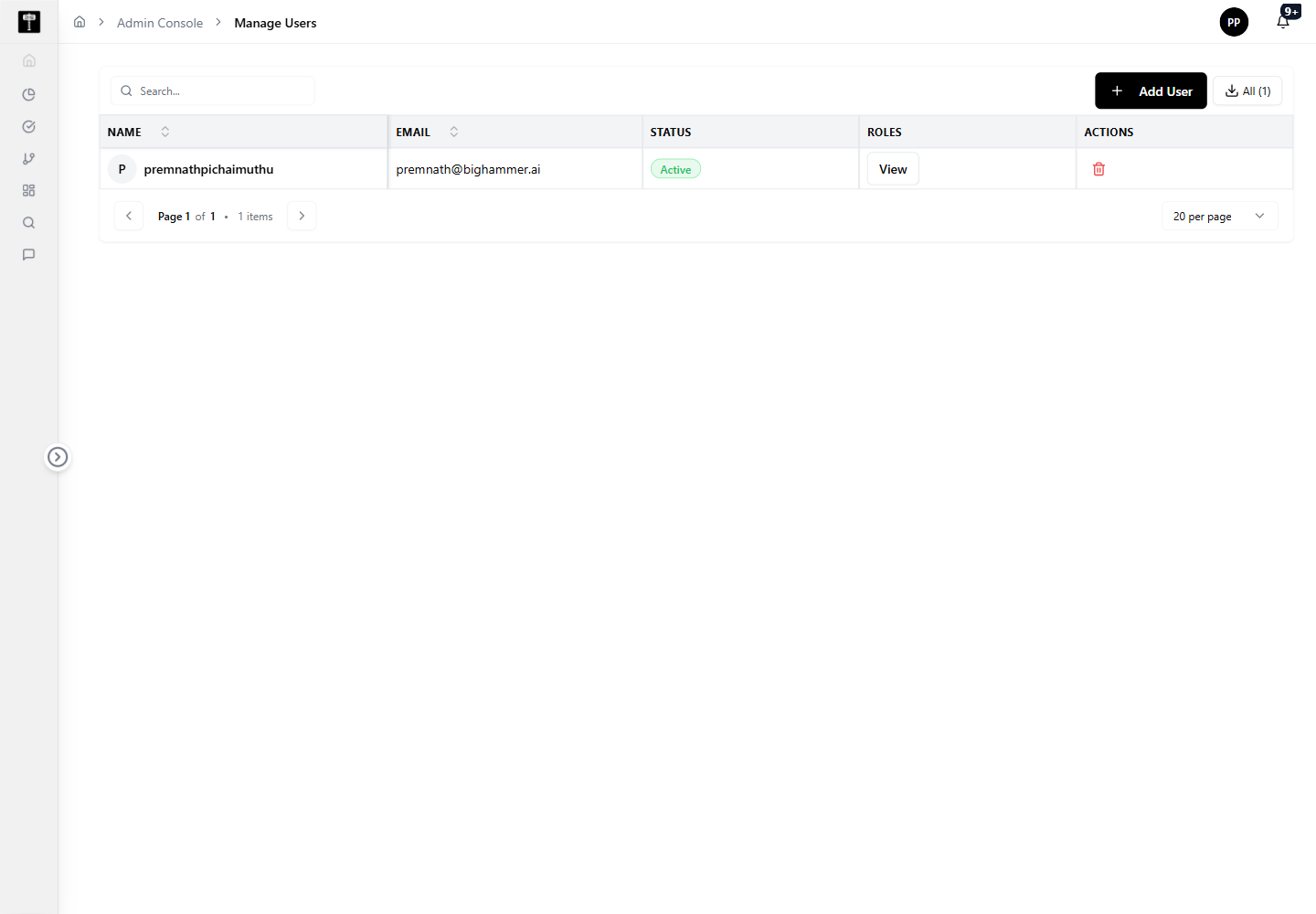
Review user access
Before changing access, review the user list and confirm the correct user record. This prevents accidental changes to the wrong account.
Add or edit a user
Use the available user actions to create a new user or update an existing record. After saving changes, verify that the user can access the expected platform areas.
Typical path
| Step | Action | Location |
|---|---|---|
| 1 | Open Admin Console | Main sidebar |
| 2 | Select Users | Admin card grid |
| 3 | Review the user list | Users page |
| 4 | Add or edit a user | User form |
| 5 | Confirm roles and permissions | Role Permission page |
What happens next
The user record becomes part of the platform access model and can be used by role and permission workflows.
Related pages
- Role Permission — assign roles to the users managed here
- Projects — control which projects users can access
- Environments — manage the runtime targets available to users