Add Project Admin only
Use the Add Project page to configure project settings and repository details to create a new BigHammer project workspace. Administrators enter project metadata, link the GitHub repository, and validate the configuration before the project is created.
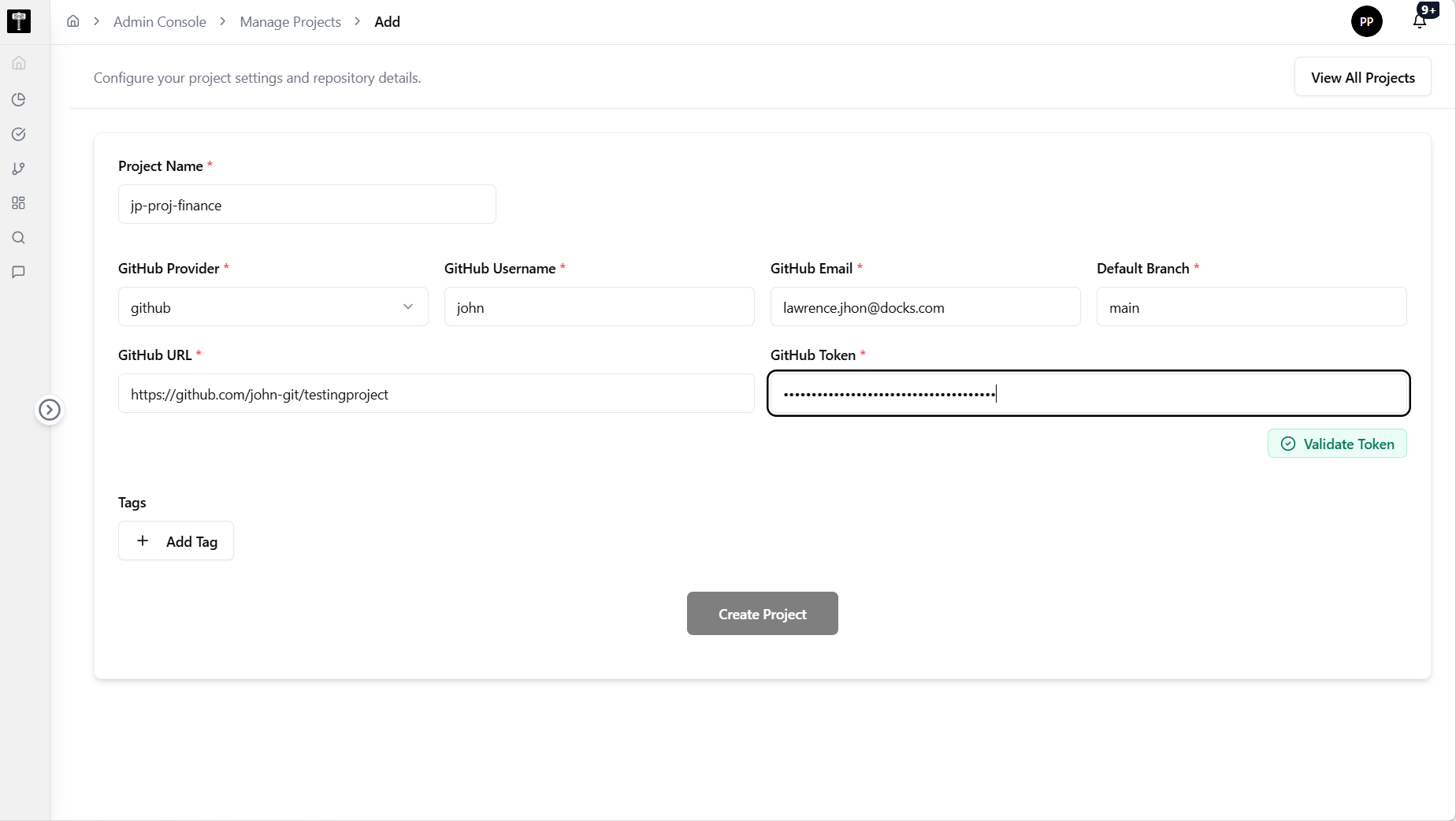
Configure project settings and repository details
Complete the project form with the required information. Fields marked with * are compulsory.
Project Name*
Enter a unique name for the project. Choose a name that follows your team's conventions and is easy to identify in workspace lists.
GitHub Provider*
Select the GitHub provider for the repository connection.
GitHub Username*
Enter the GitHub username associated with the repository.
GitHub Email*
Enter the GitHub email address associated with the repository account.
Default Branch*
Specify the default branch for the repository (for example, main or master).
GitHub URL*
Enter the full GitHub repository URL.
GitHub Token*
Provide the GitHub personal access token. This token is used to authenticate and access the repository. Ensure the token has the required permissions for the repository.
Tags
Add optional tags to categorise the project. Tags help filter and organise projects in the workspace list. This field is optional.
Validate and create
After completing all required fields, click the Validate button to verify the repository connection and credentials. Once validation succeeds, the option to create the project becomes available.
All fields marked with * are required. The project cannot be created until validation succeeds.
Save and verify
After creating the project, verify it appears in the project list and that repository details are configured correctly.
What happens next
The new project workspace becomes available to BigHammer workflows. Teams can begin creating pipelines, datasets, and other assets within the project.
Related pages
- List Projects — review all project workspaces
- Edit Project — update an existing project configuration
- Environments — assign runtime targets to the new project