PII Admin only
Use the PII page to configure personally identifiable information recognizers and detection patterns. PII settings govern how BigHammer identifies and handles sensitive personal data across the platform.
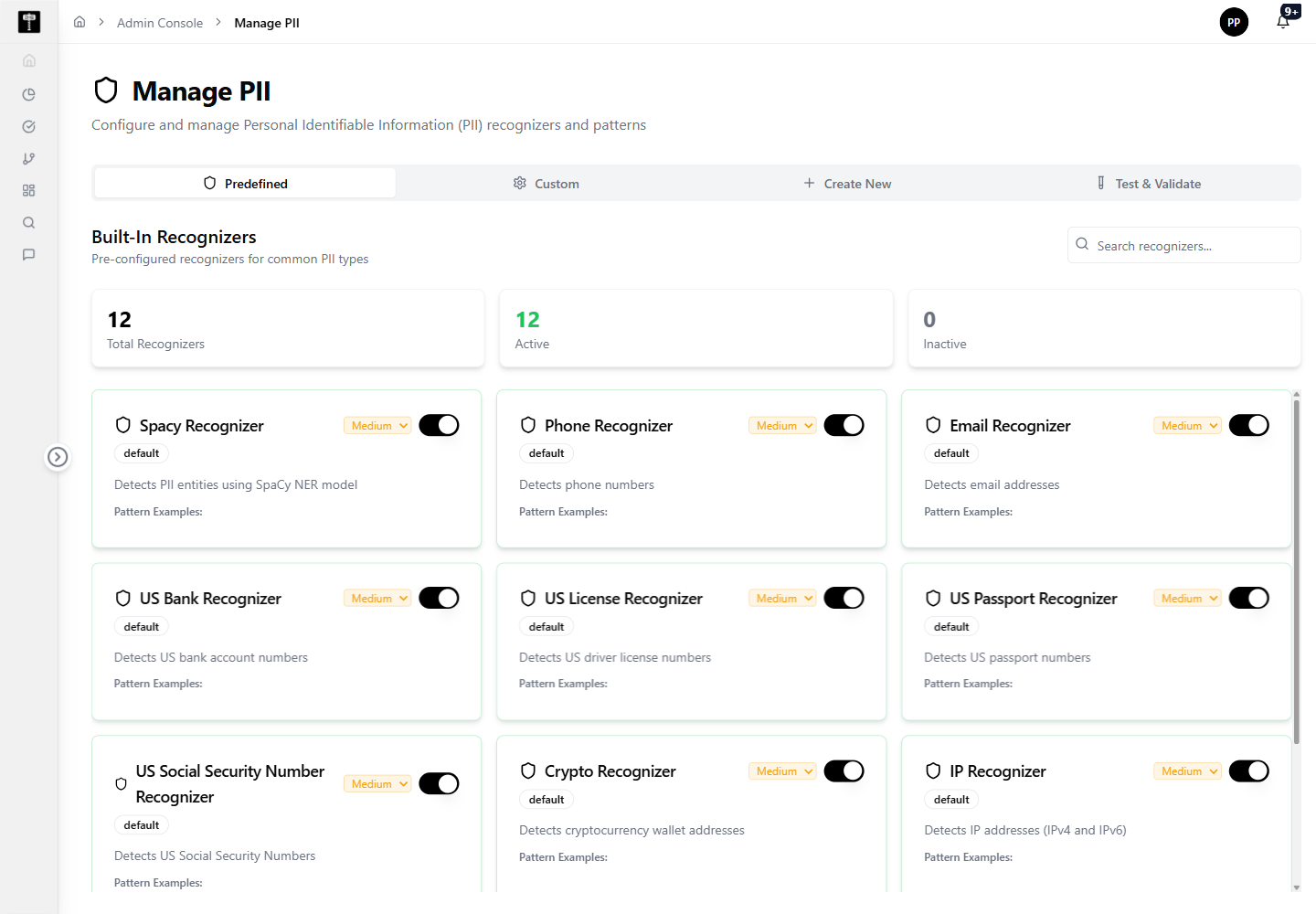
Review recognizers
Review the current recognizer configuration before making changes. Modifying active recognizers affects how all downstream privacy and governance workflows classify personal data.
Configure patterns
Update recognizer patterns when privacy requirements change or when new sensitive data formats must be detected. Test pattern changes in a non-production environment first when possible.
Typical path
| Step | Action | Location |
|---|---|---|
| 1 | Open Admin Console | Main sidebar |
| 2 | Select PII | Admin card grid |
| 3 | Review active recognizers | PII page |
| 4 | Configure or update detection patterns | Pattern editor |
| 5 | Save and confirm for governance workflows | PII page |
What happens next
Updated PII configuration is applied by downstream governance, data scanning, cataloging, and compliance workflows that identify and classify sensitive personal data.
Related pages
- PHI — configure healthcare-specific sensitive data detection alongside PII
- Role Permission — control which roles can view or act on PII-classified data