PHI Admin only
Use the PHI page to configure protected health information recognizers and HIPAA identifier patterns. PHI settings ensure BigHammer correctly identifies and governs healthcare-sensitive data in compliance with regulatory requirements.
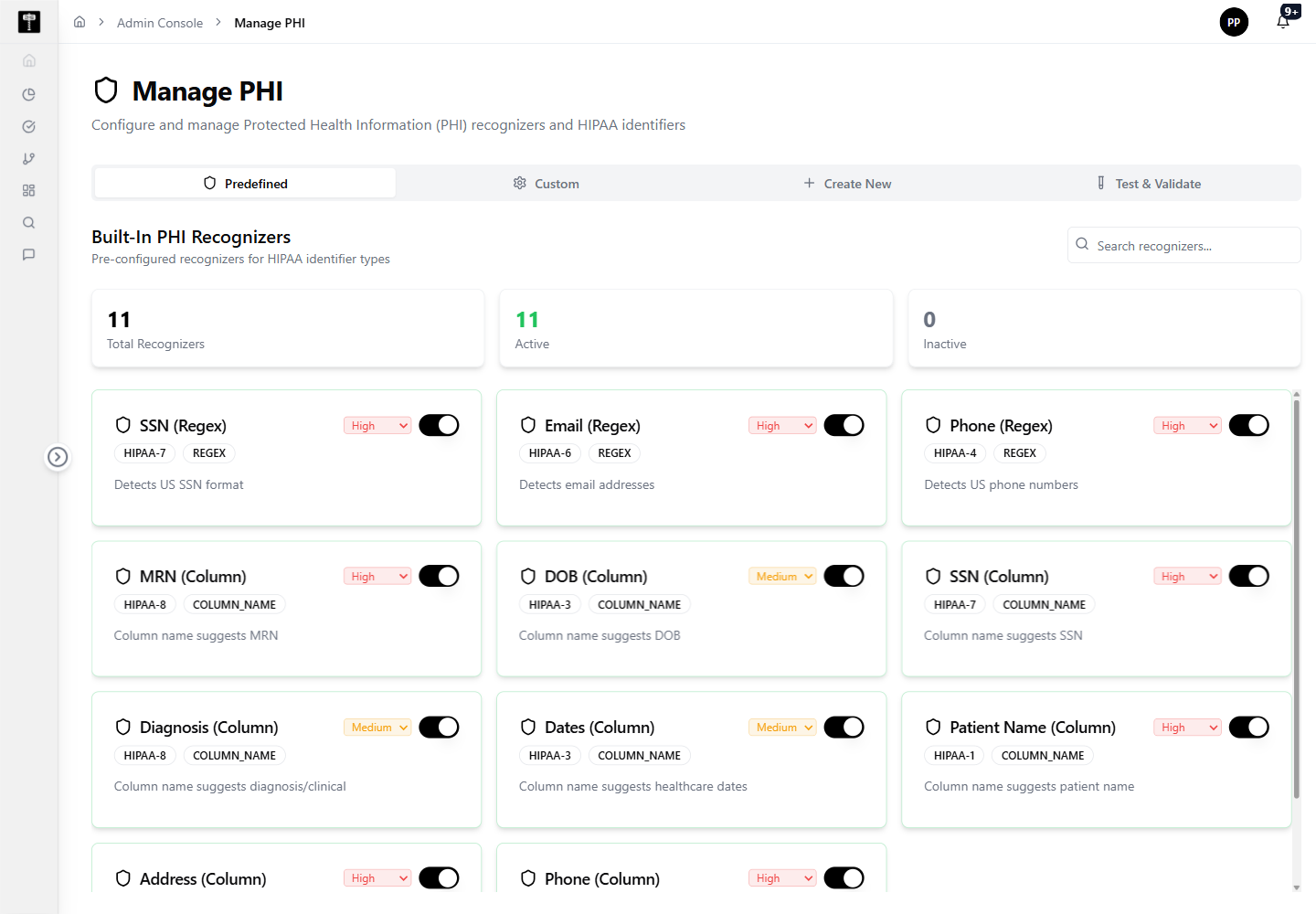
Review PHI controls
Review current PHI recognizers before modifying healthcare-sensitive detection behavior. Changes here directly affect all regulated data workflows.
Configure HIPAA identifiers
Update identifier patterns when compliance requirements change or when additional healthcare identifiers must be detected. Validate updates against your compliance requirements before saving.
Typical path
| Step | Action | Location |
|---|---|---|
| 1 | Open Admin Console | Main sidebar |
| 2 | Select PHI | Admin card grid |
| 3 | Review PHI recognizer settings | PHI page |
| 4 | Configure HIPAA identifier patterns | Pattern editor |
| 5 | Save changes for compliance workflows | PHI page |
What happens next
Updated PHI configuration supports scanning, governance, and compliance workflows that handle protected health information in regulated healthcare environments.
Related pages
- PII — manage general personal data detection alongside PHI
- Role Permission — control which roles can access PHI-classified data