Edit Connection Admin only
Use the Edit Connection page to update an existing data connection's credentials, metadata, or configuration. Administrators use this workflow when endpoint details change or when credentials need rotation.
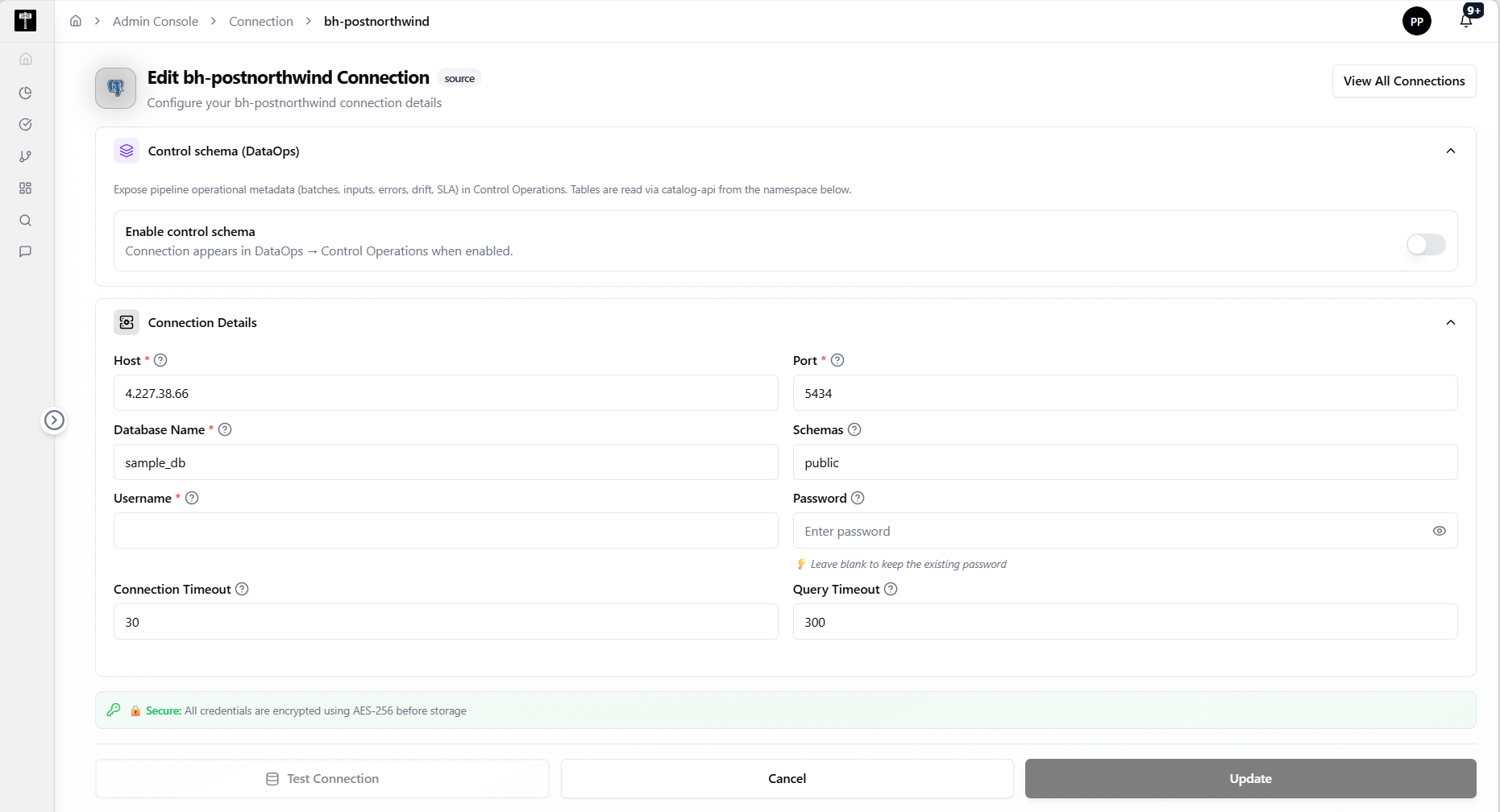
Locate the connection
Find the connection you need to update from the connection list. Confirm you are editing the correct data source before making changes.
Update connection details
Modify host, port, credentials, or advanced settings as required. Review the impact of changes before saving.
Validate and save
After completing all changes, click the Validate button to verify the updated credentials and connection. Once validation succeeds, save the updated connection configuration.
Save and confirm
After saving changes, verify the updated information is reflected in the connection list and that dependent workflows continue to operate correctly.
What happens next
Updated connection settings take effect immediately. Workflows using this connection will use the new configuration on their next execution.
Related pages
- List Connections — review all registered data connections
- Add Connection — create a new data connection
- Environments — ensure the connection is accessible from the target runtime environment